| |
Neutral
|
I have a white line that's on the right side of my den page tables. Is there a way to fix that, or put a border there or something? Now that I've noticed it there it sticks out like crazy to me |
|
|
| |
Darkseeker
|
Are you referring to this edge thing right here?
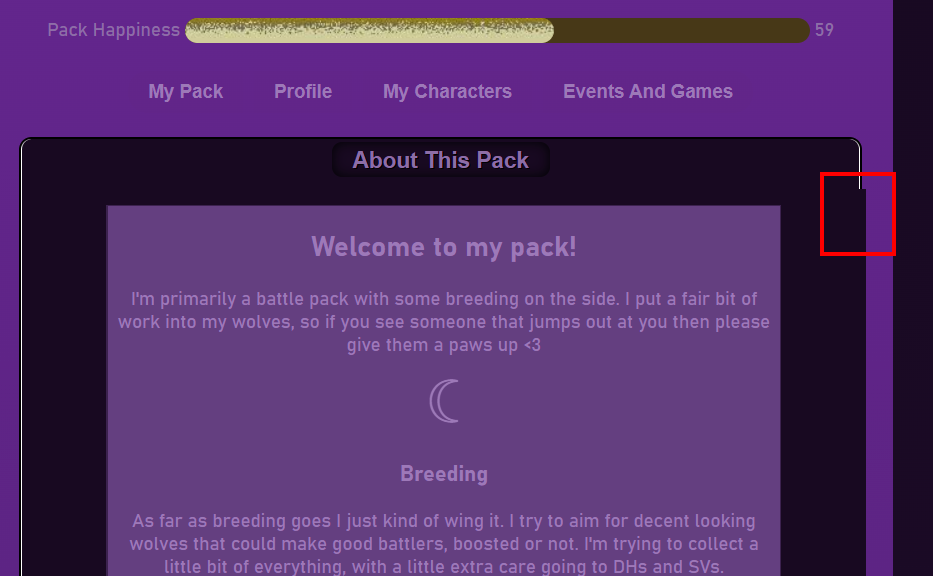 There isn't really a way to get rid of that, unfortunately. Sometimes it has something to do with your profile, sometimes it doesn't.
Okino said:
I have a white line that's on the right side of my den page tables. Is there a way to fix that, or put a border there or something? Now that I've noticed it there it sticks out like crazy to me
|
|
|
| |
Neutral
|
Huh, that's odd. I wasn't meaning that, it was just a bright white line that ran down the right side. I can't see it anymore on my computer, but lookng at your screenshot it's on the left side. I can still faintly see it on mobile but it's not nearly as obnoxious as it was before. I haven't touched my palette in a while, so I have no idea why it showed up for a few days just to disappear.  |
|
|
| |

Darkseeker
|
Does anyone know the code to change the text here?
|
|
|
| |
Darkseeker
|
Stray Secrets said:
Does anyone know the code to change the text here?
Hm this should work
.tabcontent { color: #HEX;} |
|
|
| |
Darkseeker
|
Eno said: Hm this should work
.tabcontent { color: #HEX;}
It worked, thanks! <3 |
|
|
| |

Neutral
|
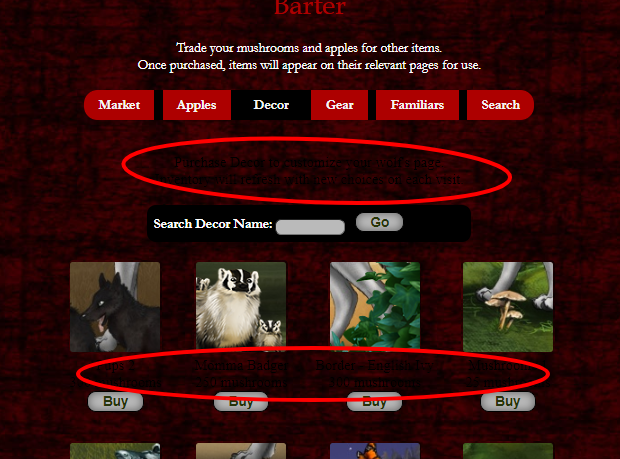
It's been awhile since I've last had premium, so I forgot a few things and where certain lines are located/called. So hoping to address everything all in one go if that's alright. <3 I would like to change the colors of text here. 
Color of background for menu 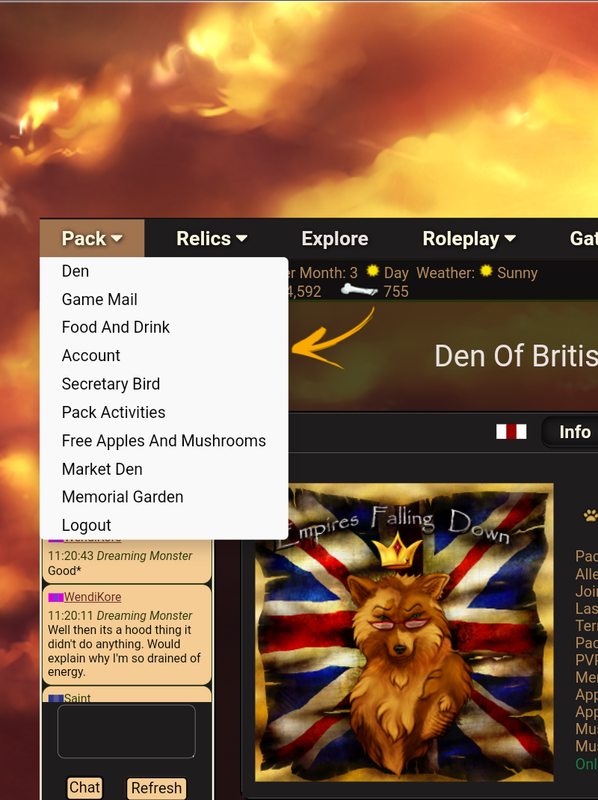
Text color over notifications (not daily CP reports) 
This menu here 
And either remove or change the color of this outline around most of the contents (including forum). 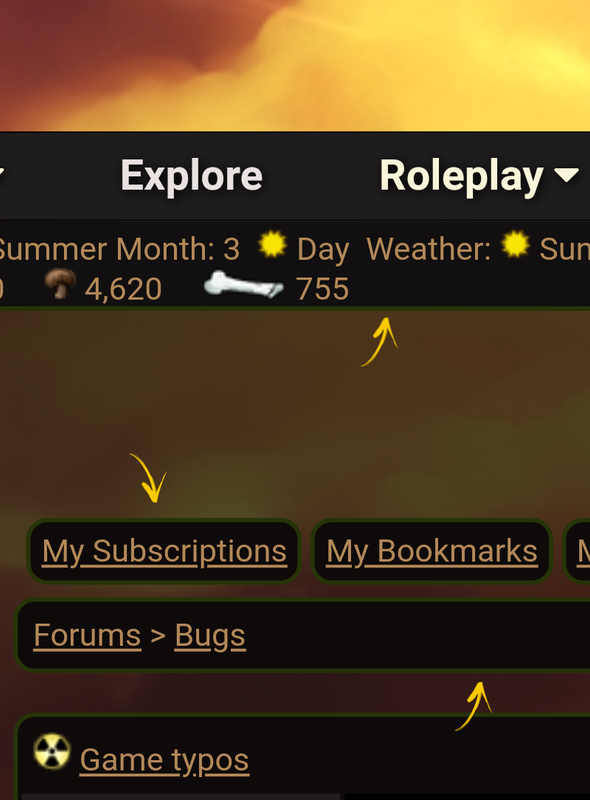
|
|
|
| |
Darkseeker
|
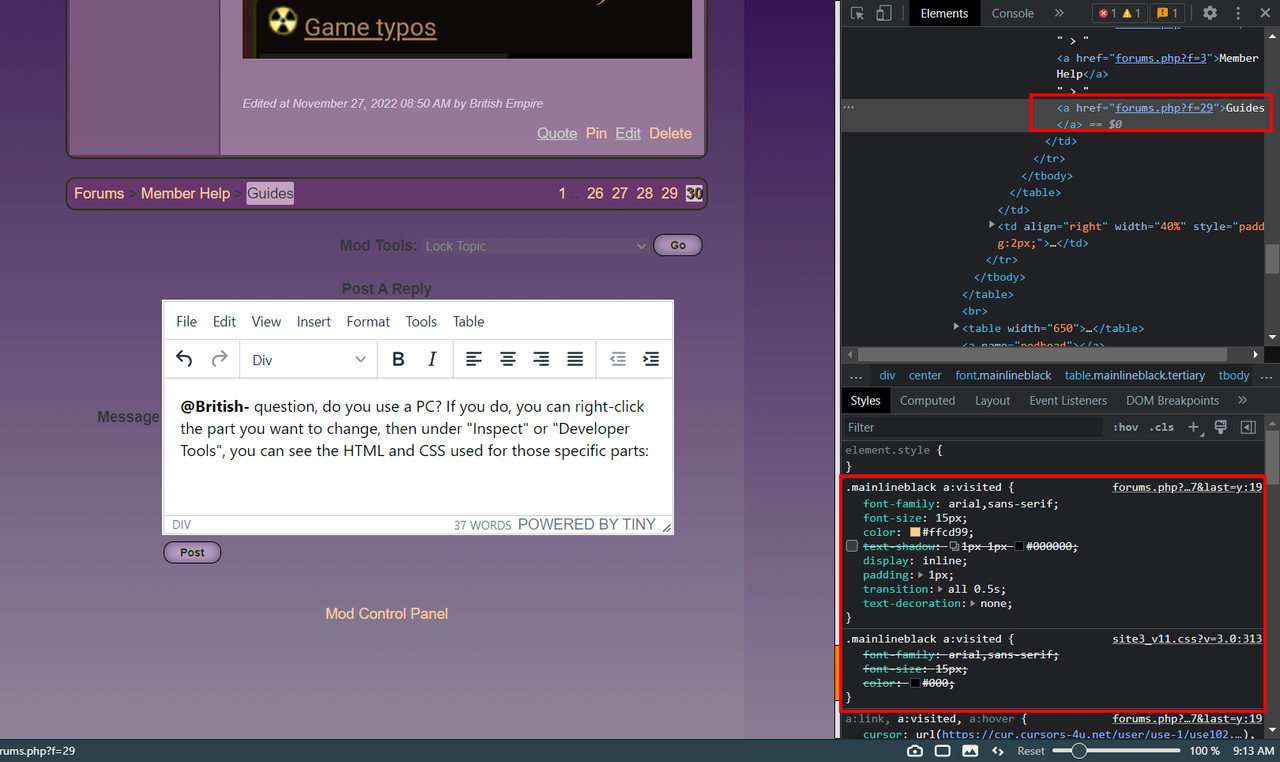
@British- Do you use a PC? If you do, you can right-click the part you want to change, then under "Inspect" or "Developer Tools", you can see the HTML and CSS used for those specific parts: You can change and add what you want before you put it in your palette. The border around the forum buttons I think is a bit more complicated, but it can be done. I lied. try "table.tertiary" for the forum borders. Successful notifications are ".validmsg". Errors are ".errormsg" The Inspect Tools will find everything else ;D |
|
|
| |
Neutral
|
Oddity said:
Huh, that's odd. I wasn't meaning that, it was just a bright white line that ran down the right side. I can't see it anymore on my computer, but lookng at your screenshot it's on the left side. I can still faintly see it on mobile but it's not nearly as obnoxious as it was before. I haven't touched my palette in a while, so I have no idea why it showed up for a few days just to disappear.
What about editing the padding? This would align this cell to the header of the table. (and prevent that right edge to cross the border on the Profile) Hope it's what you were asking for:
#Pack div:nth-child(1) div table tbody tr:nth-child(2) td div {border-radius: 0px 0px 8px 8px; padding-right: 0px !important;}
#Profile div:nth-child(1) div table tbody tr:nth-child(2) td div {border-radius: 0px 0px 8px 8px; padding-right: 0px !important;}
#Characters div div table tbody tr:nth-child(2) td div {border-radius: 0px 0px 8px 8px; padding-right: 0px !important;} |
|
|
| |

Neutral
|
My blog text colors are all wonky-they are blue and black. How do I change those colors specifically because everything else is fine it's just my blog colors. |
|
|

 Summer Month: 3
  Night
Night  Clear Moon: