| |

Neutral
|
Eno said:
British Empire said:
How do I change the white denpage tables? (Pack Bio, Familiars, Pack Stats ect.) And also basically every other table. xD Secondly, how do I remove the border that outlines all site contents? Or at least edit it to be tranparent. table div:nth-child(1) {background-color: #HEX;} will change the white tables, but it also causes a few code breaks in the palette.
as for the banner and page borders just put border: none; in your code like
.mainscreen1 {background: transparent; border: none;}
.pgbg {background-color: #color; border: none;}
Thank you! <33 |
|
|
| |
Darkseeker
|
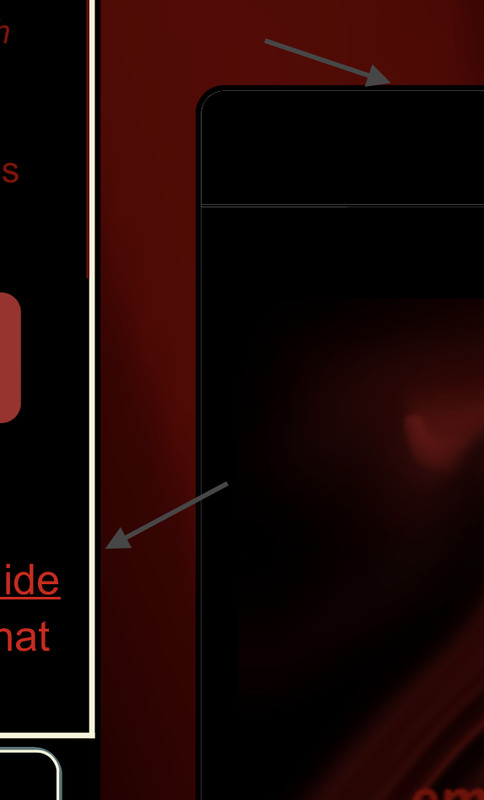
Question to all those more proficient at this than I am: Is there a way to get rid of this border? |
|
|
| |
Neutral
|
adding border:0px!important; under .mainlineblack div.primary should get rid of it
Vennenum said:
Question to all those more proficient at this than I am: Is there a way to get rid of this border?
|
|
|
| |
Darkseeker
|
Such a simple solution. It worked, thanks! |
|
|
| |

Neutral
|
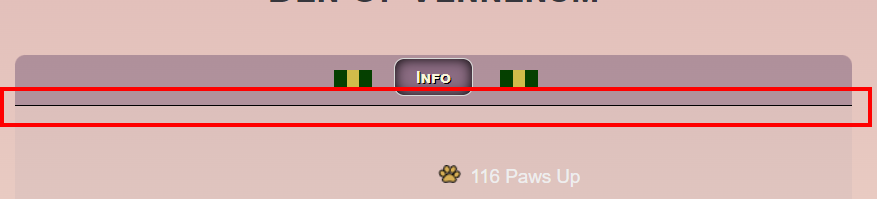
how do i make the white box that has my pack info on the den page transparent? like under where it says info, how do i make that box transparent? |
|
|
| |
Darkseeker
|
Eno posted the solution a few posts above yours. However, I don't recommend fiddling with this until you've gotten the hang of CSS.
Crowe said:
how do i make the white box that has my pack info on the den page transparent? like under where it says info, how do i make that box transparent?
|
|
|
| |
Game Moderator
Lightbringer
|
I went through the entire Custom Palette CSS styles topic, and found nothing on this. Please forgive me if it was already asked. How do I change these borders? |
|  |
|
| |

Darkseeker
|
I have a gap between my navbar box and drop down menu. I can't use my drop down menu because it disappears when I move the cursor to the circled area. I'm not sure how to fix this without deleting everything and starting again. Is it because its hidden behind the weather/mush/apple bar? https://postimg.cc/gallery/nBhcJkK |
|
|
| |
Neutral
|
Heyy, I'm new to making pallets, and was wondering on how to change the cursor to a custom cursor? I've seen a few dens with custom cursors and it's really cool! ^^' |
|
|
| |
Neutral
|
Stxrmmix, this is what I saw while digging through this thread. I haven't used this coding myself though, so I'm not sure how much this helps you.
Venerixen said:
Also is there a way to code your mouse cursor to be different with your pallette? I think there is as I've seen someone's pallette with a different one.
This would help * {cursor: url(INSERT CURSOR IMAGE LINK 1),auto;}
a:-webkit-any-link {cursor: url(INSTERT CURSOR IMAGE LINK 2),auto;}
.bsmalltext a:link {cursor: url(INSERT CURSOR IMAGE LINK 3),auto;}
.bsmalltext a:visited {cursor: url(INSERT CURSOR IMAGE LINK 3),auto;}
.iclass {cursor: auto;}
a:-webkit-any-link is for links but you can specify it more by adding it in specific selectors (eg bsmalltext)
"INSERT CURSOR IMAGE LINK X" is the link of the cursor you want to be displayed in your palette. |
|
|

 Summer Month: 3
  Day
Day