Sinnamon ghost said:
So what if your on a phone or tablet, how can you change your profile?
If you are referring to your 'about this pack' or 'my profile' or 'my characters' sections, it works the same way as it does on PC.
Go to pack > account and over to 'edit descriptions'
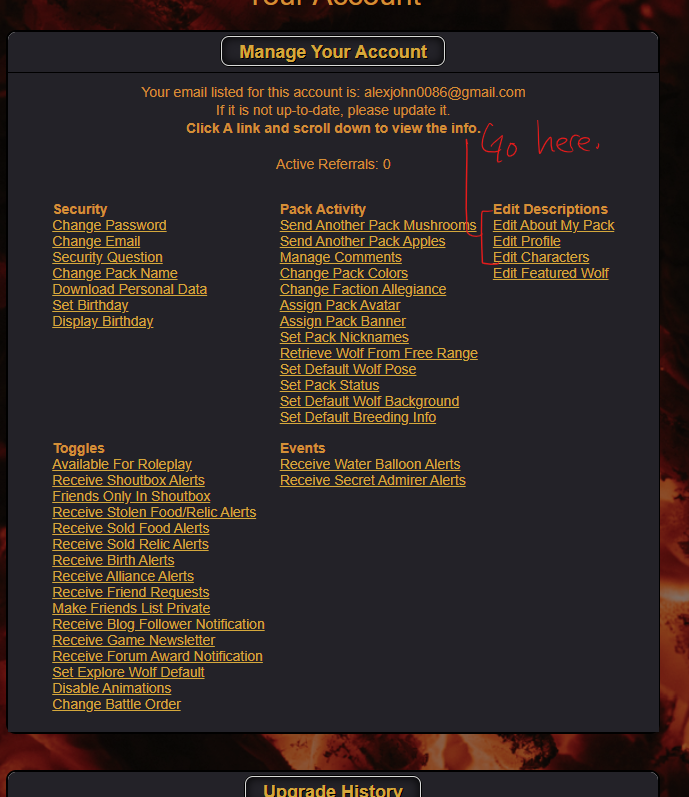
Clicking on these links will bring up each section and allow you to edit them.
If you are referring to profile colours, such as different backgrounds or colours, these are your palette settings. [Take my page for example]
Go to pack > pack activities > manage palettes.
Custom palettes with different backgrounds and images are custom palettes, this is a premium feature. However, there are a few different options to choose from for basic players.
It works the same way as it does on a PC.
Hopefully this answers your question, let me know if you're still confused.

 Summer Month: 3
  Night
Night  Clear Moon: