Wolf Play Game

Wolf Play Game
 Fall Month: 3   Day   Sunny
    

Chatbox
 Ashfur
07:25:19 
TSP ooo i love his name
 The Silmaril Pack
07:02:24 
-WP Click-
First wolf to get to Death Grip.
I'm so proud of him.
 Tiger Lilly
06:56:01 Tiger
how are y'all guys?........
 Spicy Star
06:33:45 Starlight
hello!!
 Nekros
06:32:47 Kros
RP anybody? PM me!
 Night Raven College
06:31:45 NRC/Raven
I gotta go to actually
 Night Raven College
06:30:00 NRC/Raven
Ok bye Xan
 Xanthius
06:29:48 Xan
NRC
Oops gotta poof, ill be back later :D
 Night Raven College
06:29:05 NRC/Raven
Mm home schooling is nice and I do socialize but not like people who go to school do
 Xanthius
06:27:56 Xan
Ive always thought being home schooled would be nice but also it would be hard to like socialize lol
 Night Raven College
06:26:58 NRC/Raven
Xan
Mm school is boring and even I'm saying that when I've been home schooled all my life lol
 Xanthius
06:26:04 Xan
NRC
Im doing alright, im so tired though, I hate school
 Felix
06:24:37 Stay,Ana,Kai
Morning Chat!
 Night Raven College
06:24:34 NRC/Raven
Good morning Xan how are you doing?
 Xanthius
06:23:54 Xan
Chat*
 Xanthius
06:23:49 Xan
Good morning char
 Night Raven College
06:16:30 NRC/Raven
Weird thing is this rarely happens to me
 Night Shade
06:15:59 Graves | Chaos
Raven,
I get that ToT I just live on broken sleep XD
 Night Raven College
06:14:13 NRC/Raven
Mallues Draconia found 10 mushrooms

Stats: Luck +3
Mood: Triumphant
Leaderboard: +5 Points
 Night Raven College
06:11:09 NRC/Raven
I hate when I'm restless

Refresh

You must be a registered member for more
than 1 day before you can use our chatbox.


Quests

Embark on a Quest.

Alliance Battles

Join an Alliance.

Challenges

Hourly Damage Variances
Bobcat : +2
Jackal : +5
Wolverine : +2


WolfPlay Game
Chatbox
 Ashfur
07:25:19 
TSP ooo i love his name
 The Silmaril Pack
07:02:24 
-WP Click-
First wolf to get to Death Grip.
I'm so proud of him.
 Tiger Lilly
06:56:01 Tiger
how are y'all guys?........
 Spicy Star
06:33:45 Starlight
hello!!
 Nekros
06:32:47 Kros
RP anybody? PM me!
 Night Raven College
06:31:45 NRC/Raven
I gotta go to actually
 Night Raven College
06:30:00 NRC/Raven
Ok bye Xan
 Xanthius
06:29:48 Xan
NRC
Oops gotta poof, ill be back later :D
 Night Raven College
06:29:05 NRC/Raven
Mm home schooling is nice and I do socialize but not like people who go to school do
 Xanthius
06:27:56 Xan
Ive always thought being home schooled would be nice but also it would be hard to like socialize lol
 Night Raven College
06:26:58 NRC/Raven
Xan
Mm school is boring and even I'm saying that when I've been home schooled all my life lol
 Xanthius
06:26:04 Xan
NRC
Im doing alright, im so tired though, I hate school
 Felix
06:24:37 Stay,Ana,Kai
Morning Chat!
 Night Raven College
06:24:34 NRC/Raven
Good morning Xan how are you doing?
 Xanthius
06:23:54 Xan
Chat*
 Xanthius
06:23:49 Xan
Good morning char
 Night Raven College
06:16:30 NRC/Raven
Weird thing is this rarely happens to me
 Night Shade
06:15:59 Graves | Chaos
Raven,
I get that ToT I just live on broken sleep XD
 Night Raven College
06:14:13 NRC/Raven
Mallues Draconia found 10 mushrooms

Stats: Luck +3
Mood: Triumphant
Leaderboard: +5 Points
 Night Raven College
06:11:09 NRC/Raven
I hate when I'm restless


Refresh

You must be a member for more than 1 day before you can chat.

Forums

→ WolfPlay is a fun game! Sign Up Now!


My Subscriptions
My Bookmarks
My Topics
Latest Topics
Following

Forums > Member Help > Guides
   1 

Beginners Guide To WolfPlay (Scrapped)January 26, 2022 09:05 PM


Ophiuchus Black

Neutral
 
Posts:478
#2697711
Give Award

Beginners Guide To WolfPlay


Hello! If you're reading this chances are you're new to WolfPlay and would like some help!
Maybe you're a bit overwhelmed or perplexed by the game and don't know where to start?
Look no further, in this post I will attempt to ease your mind.
I will provide you with a guide and explanations of as many aspects of the game as I possibly can.
I also encourage veteran members to provide assistance in the comment section!

Game Mail

In order to navigate to "Game Mail" Select the "Pack" drop down and select "Game Mail". You will be directed to your Mail.

From there you can view received mail or send mail.

Mail Folders:

The "Inbox" tab is for mail that you have received from other Packs.
The "Outbox" tab will show you mail that you have sent out to other Packs.
"Game" tab on your mail page for messages sent from the game such as intel on wolves you're stalking, Alliance communications, Stolen food or relic alerts etc. (more on these topics later).
The "Save" tab is where mail you have saved will appear.


Creating Folders:

You can also create new folders by scrolling to the bottom of the page.
Go to Manage Folders > Add Folder

Sending Mail:

To send other Packs messages, you will need their pack number which you can find on their Pack Profile page. Or simply select "Send Mail" on their Profile and you will be redirected to the Game Mail page.
If you are friends with the pack you can simply select them.

Edited at February 17, 2022 06:13 PM by Ephraim Wolf Pack
Beginners Guide To WolfPlay (Scrapped)January 27, 2022 12:02 AM


Ophiuchus Black

Neutral
 
Posts:478
#2697822
Give Award
· · ─────── ·𖥸· ─────── · ·

Currency

There are two (2) forms of currency in WolfPlay:
Mushrooms: Standard currency.
Apples: A more premium & prized currency. It is used to make custom wolves and aquire perks such as den space expansions or Premium memberships.

How To Earn Currency:

Mushrooms can be earned by exploring, selling items, gear, decor & wolves. You can also put your wolves up for breeding, to name a few methods.
Apples can be purchased with real-life currency, or purchased from other players with Mushrooms.
Some of the most popular methods for acquiring Apples include: selling or auctioning wolves, or art. But there are plentiful ways.

Currency Conversion:


1 Apple
~ 1000 Mushrooms

Though they can be purchased anywhere from 500 - 1000 mushrooms depending on the market.

Purchasing Apples:

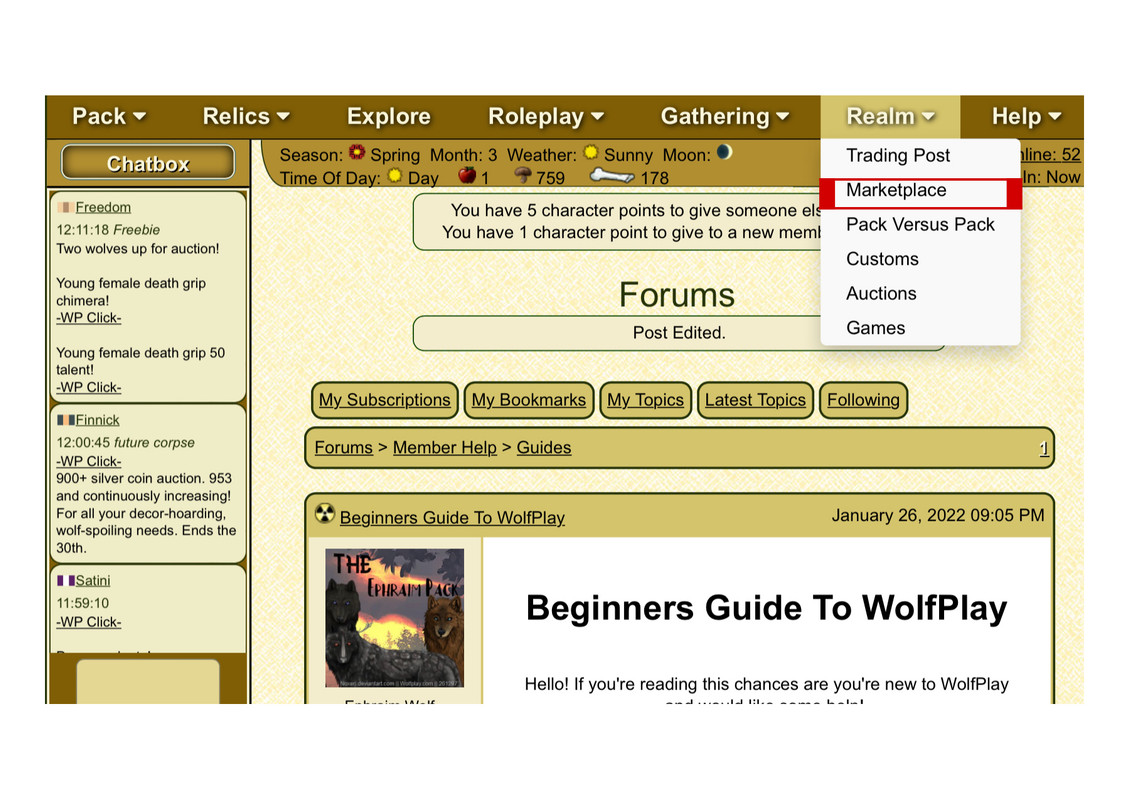
To purchase Apples, go to the "Realm" drop down and select "Market place". Then select "Barter".

Purchasing Apples For Real-Life Currency:
Once you are in Barter select the "Apples" tab to purchase apples for real-life currency.
Here you can also purchase Premium memberships, expansions, and other premium items.

Purchasing Apples From Players:
To purchase apples from players, go to Barter then select "Search". scroll to the bottom until you find "Search for Apples for Sale."


Keeping Track of Your Balance

At the top of your page you will always see this bar. It shows the amount of currency you have on your persons.

Edited at January 28, 2022 06:25 AM by Ephraim Wolf Pack
Beginners Guide To WolfPlay (Scrapped)January 27, 2022 12:45 AM


Ophiuchus Black

Neutral
 
Posts:478
#2697834
Give Award
· · ─────── ·𖥸· ─────── · ·

Your Den Page / Pack Profile

This is the first thing you'll see when you access your Den Page.
It highlights some of the basic information such as your Pack Number, Allegiance, Territory Level etc.

Below that is your Pack Affinity or Pack Happiness. This is the overall affinity of your pack.

If you intend on exploring frequently, it is advised to maintain a high pack affinity so that your wolves HP will recover quicker.
As an explore pack, the higher you're affinity, the better.
Below your Pack Affinity are tabs "My Pack", "Profile", "My Characters" & "Events & Games".
Here you can display information about your pack, yourself, show off your OC's and keep inventory of the rewards you acquire during events.


You can edit these by going to Den > Account > Edit Descriptions


Edited at January 28, 2022 06:26 AM by Ephraim Wolf Pack
Beginners Guide To WolfPlay (Scrapped)January 28, 2022 06:01 AM


Ophiuchus Black

Neutral
 
Posts:478
#2698418
Give Award

Your Wolf's Profiles

Scroll down your Den Page and click on your wolf. This will open up their Profile.

The profile will contain details about your wolf such as their parents, birth pack, age, gender, offspring count, Talents etc.

Below this is the "Pelt Color" description that will show you what coat and markings they have, which ultimately total to an overal "Rarity"


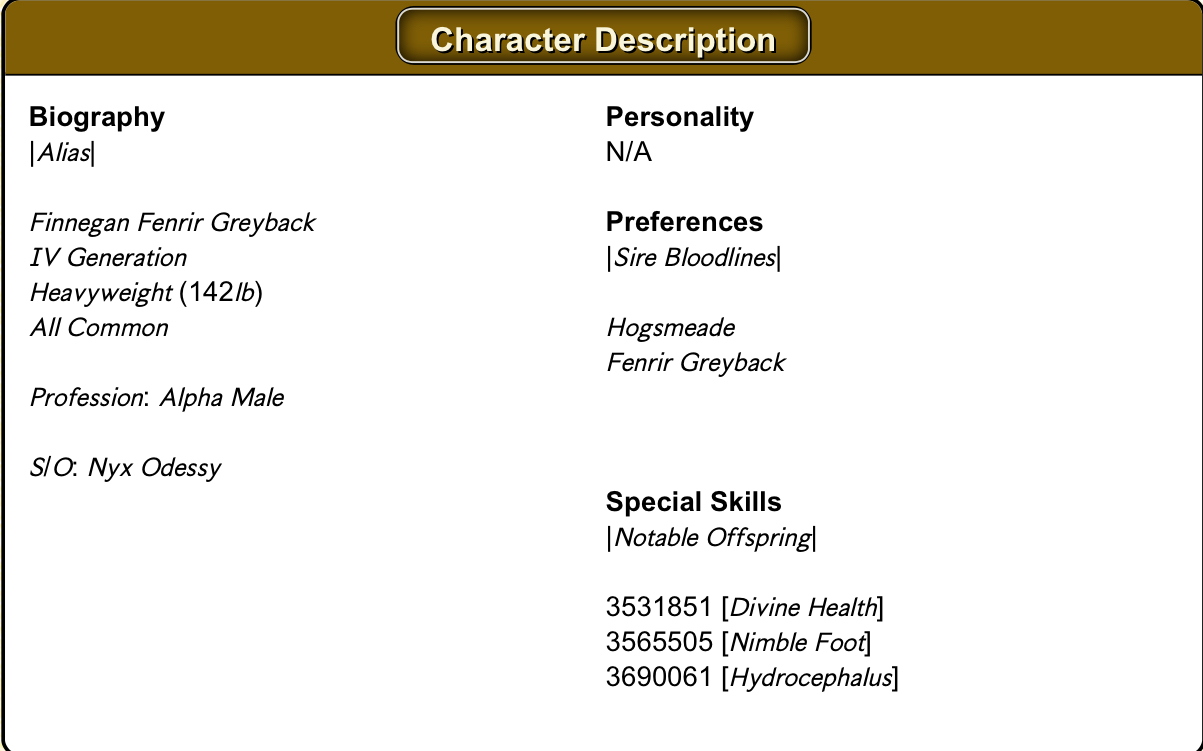
Below "Pelt Color" is your wolf's "Character Description".

You can edit this by scrolling down and selecting "Manage Your Wolf".
From there you can also edit their pose, background, and add gear or decor to your wolf.
You can also give your wolves ratings for howling, wrestling and demeanour (These are important for lunar events)
Below "Character Description" are the "Character Attributes". Here you can apply "Character Points" or "CP" which will contribute to your wolf's performance in a particular activity such as explore, battle, breeding etc.
Every day you will receive:
30 CP to allocate to your wolves,
5 CP allocate to wolves from another pack of your choice ,
1 CP to allocate to a wolf of a new member of the game.
The game has a daily login bonus. There is a random chance of receiving CP, items or food.


Laslty, on your wolf's page you will find a "Kill sheet" that outlines the enemies your wolf has defeated in "Explore"

Edited at January 28, 2022 06:52 AM by Ephraim Wolf Pack
Beginners Guide To WolfPlay (Scrapped)January 28, 2022 06:05 AM


Ophiuchus Black

Neutral
 
Posts:478
#2698419
Give Award

Your Wolves

Scroll down your Den Page and click on your wolf. This will open up their Profile.

The profile will contain details about your wolf such as their parents, birth pack, age, gender, offspring count, Talents etc.

Below this is the "Pelt Color" description that will show you what coat and markings they have, which ultimately total to an overal "Rarity"
Beginners Guide To WolfPlay (Scrapped)August 21, 2022 09:15 PM


Foxspirit

Darkseeker
 
Posts:731
#2799224
Give Award
Thanks for this!

Forums > Member Help > Guides
   1 

Refresh